WaCRM – Self-Hostable WhatsApp® CRM Platform
Self-hostable WhatsApp® Business API CRM. Empower your sales & support teams with a multi-agent shared inbox, automated tag segmentation, sales Kanban pipelines, and no-code AI chatbot router.
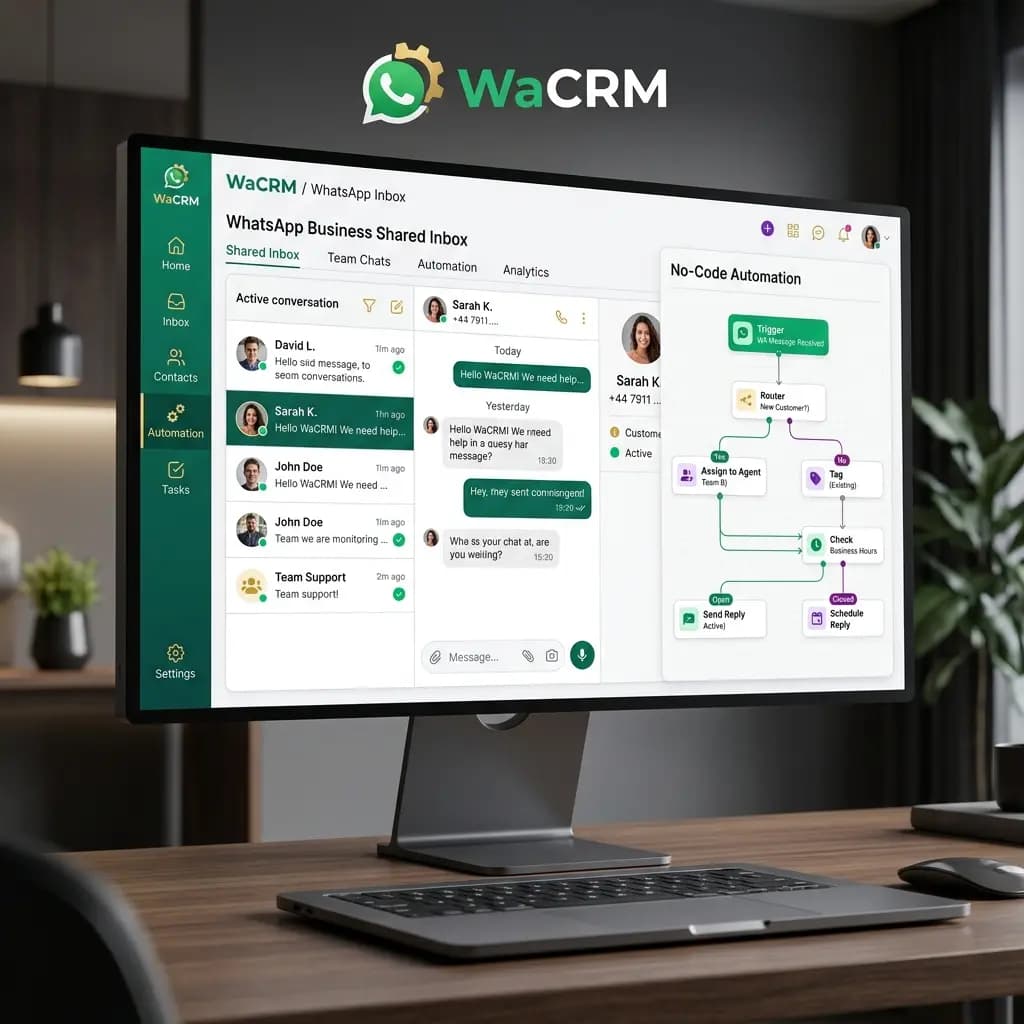
Scale WhatsApp Sales & Customer Support Effortlessly
WaCRM is engineered for modern businesses looking to break free from expensive SaaS markups and proprietary walled gardens. By providing a self-hostable WhatsApp CRM built on Next.js and Supabase, WaCRM puts you in 100% control of your customer conversation data.
Whether you manage e-commerce orders, real estate lead qualification, or high-volume customer service, WaCRM converts single WhatsApp numbers into high-performing multi-agent collaboration workspaces.
Enterprise Architecture Built for Scale
Discover the tools designed to automate WhatsApp communications, lead tracking, and agent performance.
Multi-Agent Shared Team Inbox
Assign incoming WhatsApp chats to multiple agents seamlessly with real-time agent collision prevention and internal team comments.
Sales Kanban Pipeline & Tagging
Track sales deals visually across drag-and-drop Kanban stages. Automatically tag leads based on message triggers and customer responses.
No-Code AI Chatbot Router
Integrate Gemini, Claude, or OpenAI model endpoints to handle incoming FAQs, qualify leads, and route complex tickets to human agents.
100% Data Ownership (Supabase Backend)
Self-host WaCRM on your own cloud infrastructure (Docker, Vercel, Supabase) with zero vendor lock-in and complete data privacy.
Why WaCRM is the Smart Choice for Modern Teams
Eliminate recurring vendor lock-in fees while enjoying unlimited agent seats and complete data privacy.
Zero Per-Message Markup Costs
Connect directly to official Meta WhatsApp Business Cloud API. Pay Meta directly with zero third-party per-message markup fees.
Full Source Code & Self-Hosting
Enjoy complete freedom to customize workflows, add custom database fields, and integrate internal ERPs with full source code access.
Real-Time Webhook Automations
Trigger automated n8n, Make, or Zapier workflows when leads change Kanban stages or submit WhatsApp interactive form buttons.
Enterprise RBAC Security
Granular role-based access control allows team managers to restrict conversation visibility, export rights, and phone number access.
Full Suite of WhatsApp Communication Modules
A modular WhatsApp CRM workspace engineered to support broadcasting, AI routing, and analytics.
Broadcast Campaign Manager
Schedule personalized bulk WhatsApp template broadcasts with variable parameters and real-time delivery metrics.
Template Message Approval Tool
Draft, submit, and track approval status of Meta WhatsApp template messages directly inside your dashboard.
Shared Team Inbox Workspace
Filter chats by assigned agent, unread status, tags, and custom attributes with instant media attachment support.
Analytics & Agent Performance
Monitor first-response times, resolution rates, broadcast open rates, and agent conversation volumes.
How WaCRM Deploys for Your Business
A straightforward 4-step deployment process to connect official Meta WhatsApp API to your team inbox.
Connect Meta WhatsApp Cloud API
Register your Meta Developer app, get your System User Access Token, and link your official WhatsApp Business phone number.
Deploy WaCRM Instance
Deploy WaCRM frontend to Vercel/Docker and backend database to Supabase in under 15 minutes.
Configure Team Inbox & AI Prompts
Invite sales & support agents, set role permissions, configure sales Kanban stages, and define AI chatbot system prompts.
Launch Campaigns & Scale Conversations
Send targeted WhatsApp broadcasts, capture qualified leads automatically, and close deals faster with multi-agent teamwork.
Ready to Take Control of Your WhatsApp Business Sales?
Book a technical consultation with our engineering team to review setup options and live demo.
Schedule Setup Consultation